
 Add to Chrome
We built a browser-agent harness where the model writes code instead of taking tool calls one at a time.
The first version of browser agents looks obvious: give the model tools like click, extract, openTab, appendRow, and callMcpTool; then let it decide the next action after every observation.
That works for demos. It breaks on workflows.
If the task is "go through every open prospect tab, extract the useful ones, write them to a Sheet, and create CRM contacts for high-intent leads," the model should not be asked to rediscover the loop body on every iteration.
It should write:
for (const tab of await rtrvr.listTabs()) {
  const lead = await rtrvr.extract({ tabIds: [tab.tabId], userInput: "Extract the lead" });
  await rtrvr.appendRow({ sheetId, values: [lead.name, lead.email, lead.intent] });
  if (lead.intent === "high") await rtrvr.callTool("hubspot.createContact", lead);
}
That program can run locally, deterministically, and cheaply.
So we turned the whole browser-agent harness into a sandboxed JavaScript DSL.
The model writes the control flow. The browser runs it. The harness keeps authority.
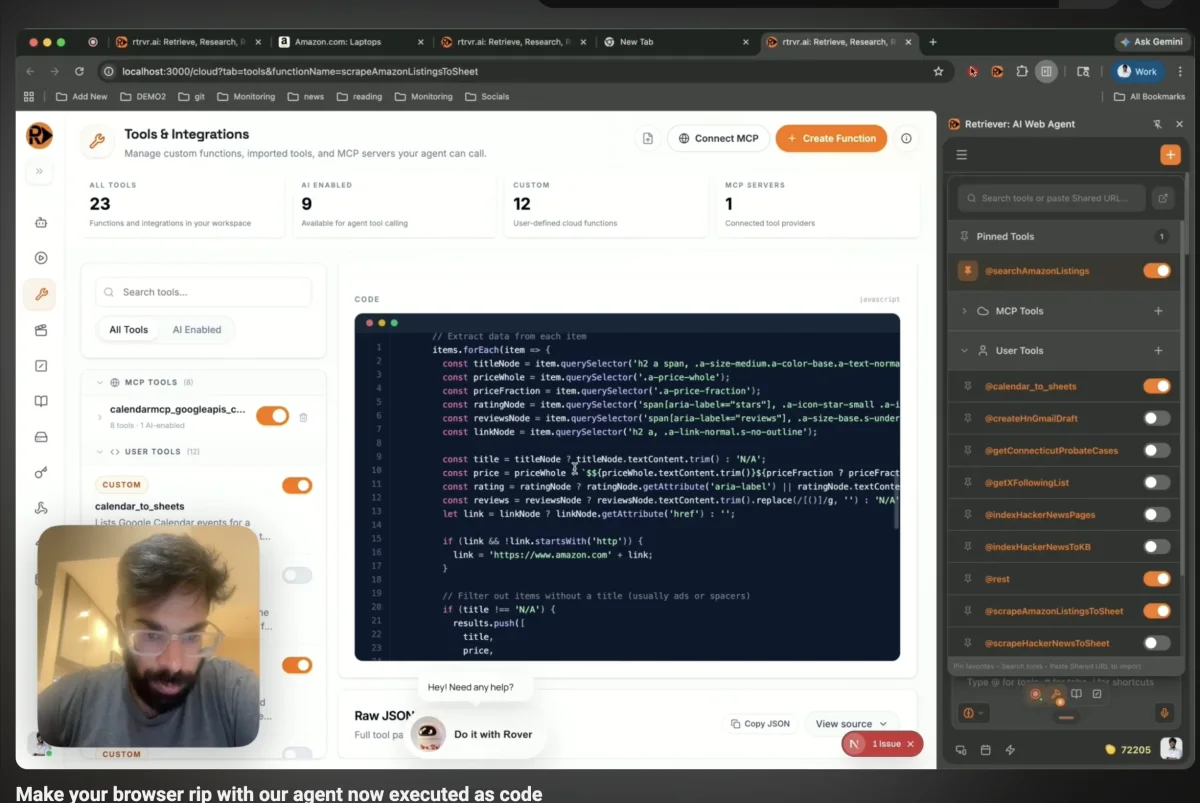
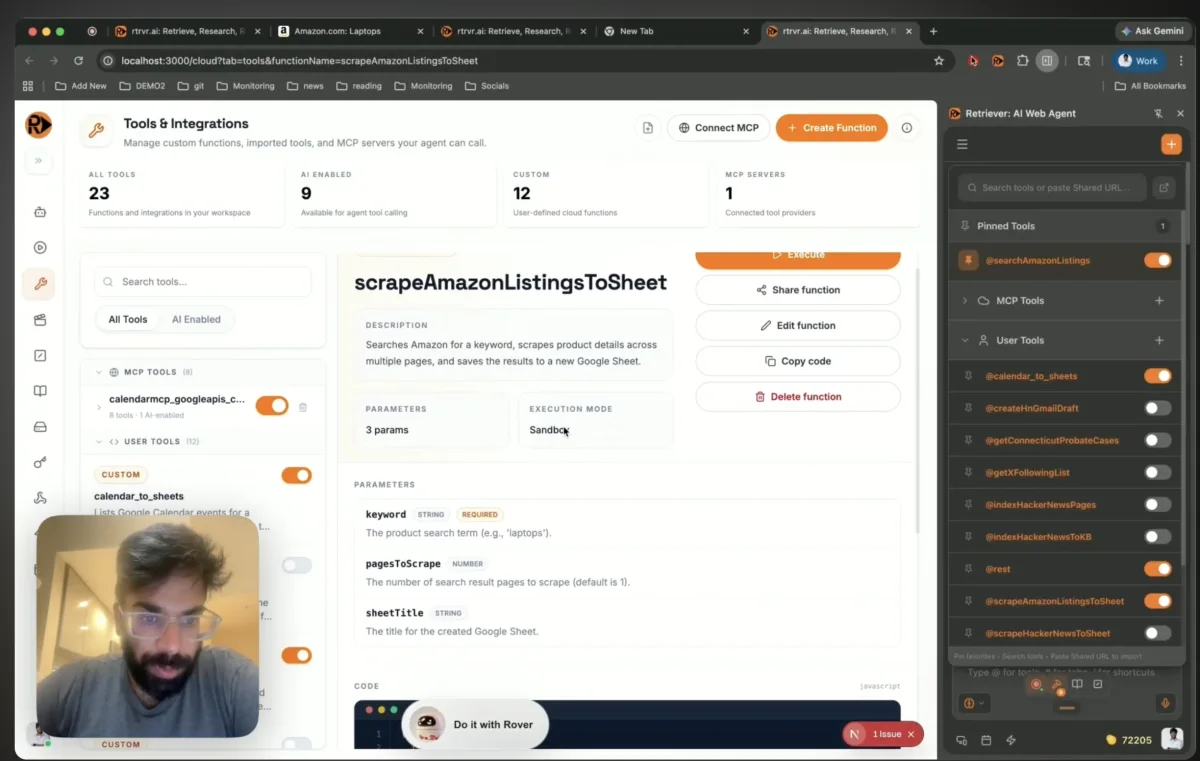
Agent Harness DSL demo
Watch Retriever AI run browser-agent workflows through a local sandbox harness.
The LLM should not be the runtime
Most browser agents today are tool-call loops:
- observe;
- ask the model what to do;
- run one tool;
- observe again;
- ask the model again.
That loop is useful when the next step genuinely requires judgment. But if the work is mostly iteration, retries, validation, and bookkeeping, the model is being used as an expensive interpreter.
A tool-call loop is an interpreter with an LLM as the CPU.
That is a bad CPU. It is slow. It is expensive. It is nondeterministic. It can forget the loop invariant halfway through the loop.
Agent planning should produce programs, not transcripts.
The model should write the loop, not be the loop.
Agents need control flow
The best framing I have seen is Agents need control flow, not more prompts, plus the HN discussion around it.
One top comment described a QA agent that had to process roughly 200 markdown requirement files. Letting the model manage the high-level loop started breaking down after about 30 files: missed files, repeated tests, unexplained backtracking, and 10-minute runs where 3 minutes should have been enough. A simple deterministic harness made the system much more reliable.
That maps exactly to browser automation.
Control flow is too important to leave in prose.
Browser workflows need normal programming constructs:
forto iterate over tabs or rows;ifto branch on extracted state;try/catchto recover from site-specific failures;- validation before writing to a Sheet or CRM;
- retry policy outside the model's memory.
Last year, this was still a little too fragile. Models would sometimes emit a type mistake, a missing await, or a small syntax error that made the generated code fail to compile. You could see the shape of the future, but the error rate was annoying.
That changed. Even Gemini Flash, our workhorse model, now reliably generates usable code against a constrained DSL on nearly every call.
That is the unlock: not "models can build whole apps," but "models can write the 40 lines of glue code that should never have been an agent transcript."
The harness as a JavaScript DSL
The DSL is intentionally small. The model does not need a general operating system. It needs a small language for doing useful browser-agent work.
The examples here use only a few helpers; the full custom JavaScript tool helper list lives in the docs.
The interesting part in the opening example is not the helper list. It is the composition:
- tab state comes from the browser;
- fuzzy extraction uses the model only where judgment is useful;
- Sheet writes are deterministic API calls;
- MCP/custom tools are callable by name;
- the loop is just JavaScript.
A for-loop should not cost tokens.
Yes, this uses eval
At the center of the sandbox, the implementation is almost offensively small:
async function evaluateSandboxCode(code) {
  try {
    const result = eval(code);
    return result instanceof Promise ? await result : result;
  } catch (error) {
    if (!shouldRetryAsAsyncFunctionBody(error)) throw error;
    const result = eval("(async () => {\n" + code + "\n})()");
    return result instanceof Promise ? await result : result;
  }
}
The second path exists because models naturally write tool bodies with top-level await and return. If the first eval fails with that syntax shape, we retry as an async function body.
The reason this is not reckless is Chrome's extension sandbox model. Chrome supports sandboxed extension pages, including the documented pattern for using eval in sandboxed iframes. A sandbox page can allow dynamic code execution without inheriting direct extension authority.
eval is the implementation detail.
The capability boundary is the design.
How the DSL is instantiated
The runtime path is plain browser plumbing.
workflowSandboxPool creates a hidden Chrome extension sandbox iframe from sandbox/index.html. That iframe defines window.rtrvr: helpers like listTabs, extract, appendRow, and callTool.
When the model emits code, the parent sends it to the iframe over postMessage with an execution id, parameters, available tools, and execution context. The iframe runs the code, captures console output, normalizes the result, and posts the result back.
Every useful rtrvr.* operation is another RPC back to the parent extension runtime. That parent owns the actual privileges.
The webpage-tool path uses the same shape. pageFunctionExecutor.ts first tries to run generated page tools near the page. If CSP or Trusted Types blocks dynamic code, it can fall back to the sandboxed DSL path. Code that needs direct DOM globals like document.querySelector is not eligible for that fallback; it has to use the page-action capabilities instead.
What generated code can and cannot do
The security model is not "trust the generated code."
The security model is:
- generated code runs in a sandboxed iframe;
- the sandbox has no direct extension authority;
- the only useful objects in scope are DSL capabilities;
- every privileged operation becomes an RPC to the parent runtime;
- the parent runtime validates, dispatches, logs, and can require approval.
Generated code can call:
await rtrvr.appendRow({ sheetId, values });
await rtrvr.pageAction({ tool: "click_element", args, tabId });
await rtrvr.callTool("slack.postMessage", params);
Generated code cannot directly call raw chrome.tabs, extension identity APIs, Google auth internals, or arbitrary privileged extension services.
The generated code gets control flow. The harness keeps authority.
Threat model
Things the sandbox is meant to prevent:
- generated code directly calling
chrome.tabs,chrome.identity, extension storage, or privileged services; - generated code reading extension secrets;
- generated code mutating browser state except through granted
rtrvr.*capabilities; - accidental infinite loops or runaway workflows.
Things the sandbox does not solve by itself:
- prompt injection from page content;
- a user approving the wrong destructive action;
- a too-powerful
rtrvr.callTool; - exfiltration through an allowed tool;
- bad schemas or under-scoped capabilities.
Those are handled at the harness layer: per-run capability grants, schema validation, logging, timeouts, dry-run mode, and human approval gates for destructive or external side-effecting actions.
This is the debate the related HN sandbox threads keep circling: does the harness need another sandbox, where do credentials leak, and should capability enforcement live inside or outside the sandbox? Our answer is that the iframe isolates generated control flow, but the harness is where authority is actually decided.
What this does not solve
This does not make arbitrary model-written code safe. The code is only useful because the useful operations are behind a capability boundary.
It does not remove all model calls. rtrvr.extract may still call a model because extraction and judgment are semantic tasks. The win is that looping, branching, retrying, validating, accumulating, and writing results do not require model turns.
It does not make destructive actions automatically safe. Posting to Slack, creating CRM records, sending emails, or clicking purchase buttons still need policy and approval gates.
It does not remove the need for a good DSL. A large, ambiguous harness surface makes generated code worse. The harness has to stay small, typed, and boring.
It does not solve concurrency. If two workflows write to the same Sheet, CRM object, or browser tab, you still need idempotency, conflict detection, and retry semantics.
Why local beats remote for browser agents
Remote sandboxes are useful. Daytona-style environments, generic VM/container sandboxes, Temporal-backed workers, and serverless runtimes are good fits for backend compute, long-lived workflows, package installs, filesystem-heavy jobs, and untrusted server-side code.
They are not the natural hot path for browser agents.
Remote sandboxes isolate compute. Local browser sandboxes isolate control flow next to authenticated state.
That distinction matters because the browser already has the valuable state: cookies, tabs, DOM, SSO, CSRF tokens, service-worker state, and extension permissions. Moving execution away from that state means exporting cookies, replaying headers, proxying requests, or keeping a remote browser logged in.
The browser is already an authenticated runtime. Use it.
| Approach | Where code runs | Where auth state lives | Good for | Weakness |
|---|---|---|---|---|
| Tool-call loop | LLM runtime | Browser / remote browser | one-off tasks | slow, costly, nondeterministic loops |
| Playwright generation | Node / remote browser | Playwright context | repeatable scripts | auth/session reconstruction |
| Remote sandbox | VM/container | outside user browser | backend compute, package installs | far from live tabs/cookies/DOM |
| Agent Lee-style codemode | platform sandbox | platform backend | first-party platform actions | platform-specific |
| Retriever harness DSL | Chrome sandbox iframe + extension runtime | user's live browser | authenticated browser workflows | needs capability policy and local browser |
Cloudflare Agent Lee got the shape right
Cloudflare's Agent Lee is directionally right: convert tools into a code surface, ask the model to write code, execute it in a sandbox, mediate privileged operations.
That is much better than forcing the model to choose one tool at a time forever.
Agent Lee took Cloudflare months in dev time as well as ongoing maintenance.
Our goal is to be able to provide similar harnesses to take actions on the live website for website owners directly.
Relation to AI Subroutines
Our AI Subroutines launch was about moving replay off the model's hot path.
Record one browser action. Save it as a deterministic tool. Replay it without paying an LLM to rediscover every click.
The harness DSL is the same idea at workflow scale.
Subroutines made one action deterministic.
Sandboxed DSL execution makes the whole workflow programmable.
The model still matters. It writes the program. It handles fuzzy extraction. It judges ambiguous page content. But it does not need to be the loop counter, retry policy, and spreadsheet writer.
Where this goes next
Rover is our one-script-tag agent for websites. Today it reads the live site, plans actions, and executes through the page's own UI.
The long-term direction is to let websites expose small harnesses of their own.
Not every site should have to build an Agent Lee-style platform. Not every site should expose an MCP server. Not every site should maintain a parallel API surface just so agents can act.
The web already has UI, auth, state, and permissions.
What it needs is a safe harness where agents can express control flow against that surface.
Other updates
- Private Mode is now available on the $99/mo tier for compliant workflows that need zero data retention.
- Recordings now capture HTML documents, so generated Subroutines can directly call and parse server-rendered pages without rediscovering the DOM path.
- Rover demos can be shared as a URL with the workflow prompt encoded, so anyone can try an automated flow on your site.
- Rover can leave agent instructions on your site so ChatGPT, Claude, and other assistants can call APIs to take actions like booking a demo while users chat.
TL;DR:
eval() is all you need for an agentic harness.


