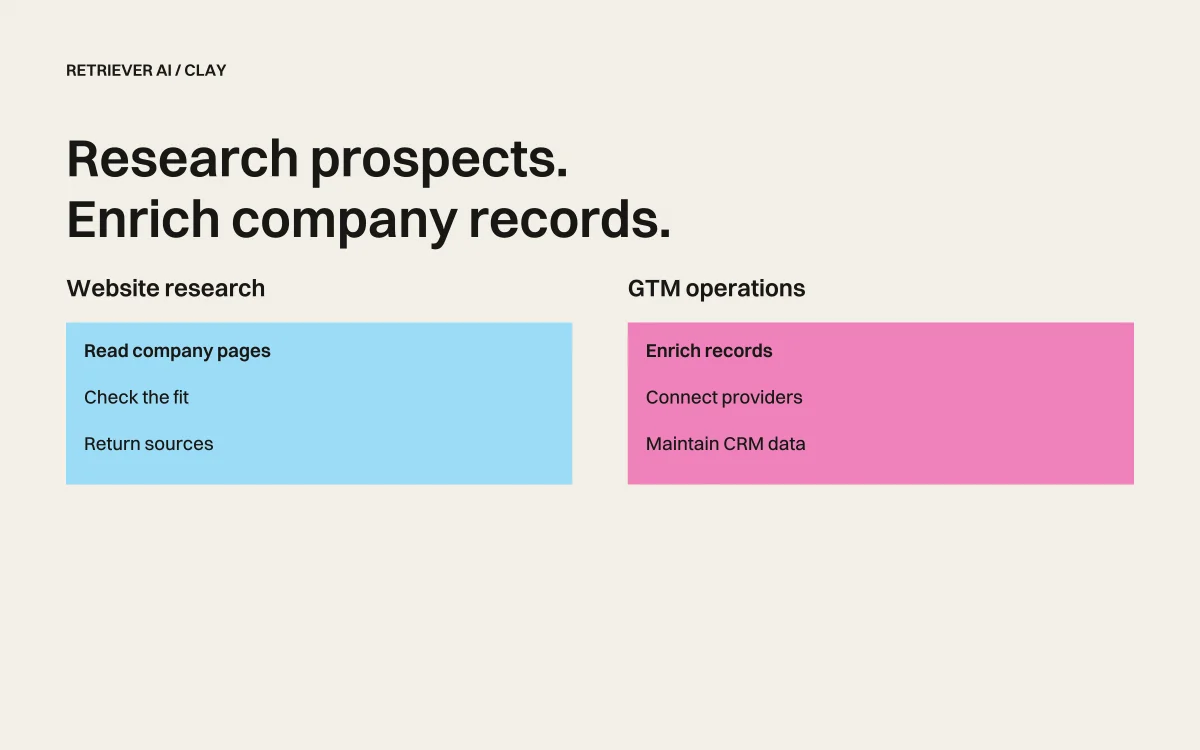
rtrvr.ai vs Clay: $800/mo Enrichment Platform vs Free AI Web Agent
Clay has become the darling of GTM teams everywhere. "Waterfall enrichment across 150+ data sources!" "No more Zapier spaghetti!" "Finally, a tool that just works!"
And look—Clay is genuinely good at what it does. But here's what the Clay evangelists aren't telling you:
You're paying $149-800/month for what is essentially a very expensive spreadsheet with API integrations.
Meanwhile, rtrvr.ai gives you a full AI web agent that can:
- Access walled gardens like LinkedIn and Crunchbase using YOUR sessions
- Execute complex multi-step workflows Clay can't even attempt
- Extract data from any website without predefined integrations
- Run entirely free with your own Gemini API key
This isn't about which tool is "better." It's about understanding what you're actually paying for—and whether you need it.
TL;DR: The 60-Second Comparison
| Capability | Clay | rtrvr.ai |
|---|---|---|
| Price | $149-800/month | Free with Gemini API key |
| Core Function | Data enrichment & orchestration | Full AI web agent |
| Data Sources | 150+ pre-integrated providers | Any website on the internet |
| LinkedIn Access | Via paid data providers (stale data) | Your authenticated session (live data) |
| Crunchbase/Walled Sites | Limited or blocked | Full access via your sessions |
| Complex Workflows | Form filling, multi-step nav | ❌ No browser automation |
| Custom Scraping | Claygent (limited) | Smart DOM Trees (any site) |
| BYOK Option | ❌ No | ✅ Yes (Gemini) |
| API/MCP Access | API only | API, MCP, WhatsApp, Extension |
The fundamental question: Are you paying $800/month for enrichment when you could do it free—and get web automation Clay can't do at any price?
The Pricing Reality Check
Let's talk numbers. Clay's pricing as of 2025:
| Plan | Monthly Cost | Credits | Per-Credit Cost |
|---|---|---|---|
| Starter | $149/mo | 2,000 | $0.075 |
| Explorer | $349/mo | 10,000 | $0.035 |
| Pro | $800/mo | 50,000 | $0.016 |
| Enterprise | Custom | Custom | Negotiated |
And here's the kicker: credits get consumed fast. Every enrichment action, every Claygent query, every data lookup burns credits. Users regularly report blowing through their monthly allocation in the first week.
rtrvr.ai pricing:
| Option | Cost | What You Get |
|---|---|---|
| Extension + BYOK | $0/month | Unlimited automation with your Gemini key |
| Cloud Platform | $0.12/task avg | Pay only for what you use |
| Pro Plan | $9.99/month | 1,000 credits included |
The math is simple:
- Clay Pro: $800/month = $9,600/year
- rtrvr.ai with BYOK: $0/month = $0/year
Even if you use our cloud platform heavily, you'd need to run 6,600+ tasks per month to match Clay's Pro pricing. Most users run a fraction of that.
What Clay Actually Does (And Doesn't Do)
Let's be fair to Clay. It's genuinely useful for:
What Clay Does Well
1. Waterfall Enrichment Clay's killer feature is running your leads through multiple data providers automatically. If Clearbit doesn't have the email, try Apollo. If Apollo fails, try Hunter. No manual fallback logic needed.
2. Data Normalization Raw data is messy. Clay standardizes fields, dedupes records, and outputs clean data ready for your CRM.
3. Workflow Orchestration Connect enrichment → scoring → routing → CRM push in one visual flow. No Zapier spaghetti.
4. Pre-Built Integrations 150+ data providers means you don't build API connections yourself.
What Clay Can't Do
1. Access Walled Gardens LinkedIn, Crunchbase, ZoomInfo—Clay relies on third-party data providers who scrape these platforms (often getting stale or incomplete data). You can't access your own LinkedIn connections or Sales Navigator lists directly.
2. Complex Web Automation Clay can't fill out forms, navigate multi-step flows, download files, or interact with web applications. It reads data; it doesn't act.
3. Custom Scraping Without Integrations Claygent can do basic web research, but it's limited. Try scraping a complex e-commerce site, a government portal, or any site with dynamic content—it struggles.
4. Authenticated Site Access Your company's internal tools, vendor portals, banking dashboards? Clay can't touch them. No authenticated session support.
The Walled Garden Problem: Why This Matters
Here's where the comparison gets interesting.
Clay's LinkedIn Problem
When you "enrich" a lead with LinkedIn data in Clay, here's what actually happens:
- Clay calls a third-party data provider (like Apollo, Clearbit, or People Data Labs)
- That provider has previously scraped LinkedIn (possibly weeks or months ago)
- You get whatever stale data they have cached
- Missing fields? Too bad—you can't access LinkedIn directly
The result:
- Job titles that changed 3 months ago
- Missing recent job changes
- No access to connections, posts, or engagement data
- Incomplete profiles for people who limit public visibility
rtrvr.ai's LinkedIn Solution
With rtrvr.ai's Chrome extension:
- You're logged into LinkedIn in your browser
- rtrvr.ai uses YOUR authenticated session
- You access live, real-time data
- Full access to Sales Navigator, connections, messages—anything you can see manually
Clay: LinkedIn → Third-party cache → Stale data → $0.05-0.15/lookup
rtrvr: LinkedIn → Your session → Live data → $0.00 (extension)
Real example:
A user wants to research their target account's recent LinkedIn activity:
- Clay: Can't do this. No integration for post/engagement data.
- rtrvr.ai: "Go to this company's LinkedIn page, extract their last 10 posts, engagement metrics, and who from my network engaged with them."
Done in 60 seconds, using your existing LinkedIn session, for free.
Same Story for Crunchbase, ZoomInfo, and Others
Every walled garden follows the same pattern:
- Clay relies on cached data from providers
- rtrvr.ai uses your authenticated sessions directly
If you have a Crunchbase subscription, rtrvr.ai accesses it. If you have ZoomInfo access, rtrvr.ai uses it. Your subscriptions, your data, your sessions.
Beyond Enrichment: What rtrvr.ai Does That Clay Can't
Clay is a data enrichment platform. rtrvr.ai is an AI web agent.
The difference is fundamental.
Complex Multi-Step Workflows
Clay can: Look up a person's email, company size, and funding status.
rtrvr.ai can:
"For each company in my spreadsheet:
1. Go to their website and find the careers page
2. Extract all open engineering positions
3. Navigate to their LinkedIn company page
4. Find the VP of Engineering and their recent posts
5. Check Glassdoor for their engineering team reviews
6. Compile everything into a research brief"
This is a 6-step workflow across 4 different sites, requiring navigation, scrolling, and contextual extraction. Clay literally cannot do this.
Form Filling and Data Entry
Clay can: Read data from forms (sometimes).
rtrvr.ai can:
"Fill out this vendor registration form with our company details,
upload our W-9 PDF, accept the terms, and submit."
Job applications, vendor portals, government forms, CRM data entry—rtrvr.ai handles them all. Clay is read-only.
Authenticated Portal Access
Clay can: Access public data and paid API integrations.
rtrvr.ai can:
"Log into our Salesforce instance, export the accounts
assigned to me this quarter, and enrich each one with
LinkedIn data and recent news mentions."
Your internal tools, your CRM, your vendor portals—all accessible through your existing browser sessions.
Real-Time Monitoring
Clay can: One-time enrichment per workflow run.
rtrvr.ai can:
"Monitor these 50 competitor pricing pages daily.
Alert me via Slack when any price changes by more than 5%."
Scheduled workflows that run continuously, tracking changes over time.
The "But Claygent Can Scrape!" Argument
Yes, Clay has Claygent—an AI agent for web research. Let's compare honestly.
Claygent Limitations
- No authenticated access - Can't use your LinkedIn/Crunchbase sessions
- Basic page reading - Struggles with dynamic content, SPAs, infinite scroll
- No browser actions - Can't click, fill forms, or navigate flows
- Credit-hungry - Every Claygent query burns credits fast
- No parallel execution - One query at a time
rtrvr.ai Capabilities
- Full session support - Uses your authenticated browser sessions
- Smart DOM Trees - Understands any page structure, dynamic or static
- Complete browser control - Click, type, scroll, navigate, upload files
- 20+ specialized sub-agents - Each optimized for specific tasks
- Parallel execution - 10+ tabs simultaneously
Real comparison:
Task: "Research 100 companies, get CEO name, funding status, and recent news"
| Metric | Claygent | rtrvr.ai |
|---|---|---|
| Time | ~100 minutes (sequential) | ~10 minutes (parallel) |
| Credits used | ~500-1000 | ~120 (cloud) or 0 (extension) |
| Success rate | ~60% (misses complex sites) | ~81% (benchmark verified) |
| Can access LinkedIn? | No (uses data providers) | Yes (your session) |
When Clay Makes Sense
To be fair, Clay isn't wrong for every use case.
Choose Clay if:
- You're doing high-volume enrichment (10,000+ leads/month)
- You need waterfall enrichment across multiple paid data providers
- Your workflow is mostly "enrich then push to CRM"
- You want a visual workflow builder with pre-built templates
- You're already paying for data providers and want unified access
- You have budget and want a polished enterprise tool
Choose rtrvr.ai if:
- You want to minimize costs (free with BYOK)
- You need to access walled gardens via your own sessions
- You're doing complex multi-step web workflows
- You need browser automation (forms, navigation, actions)
- You want to use your existing subscriptions (LinkedIn, Crunchbase, etc.)
- You need real-time monitoring or scheduled scraping
- You're building AI agents that need web access (MCP/API)
The Hybrid Approach: rtrvr.ai + Clay
Here's what savvy GTM teams are discovering:
Use rtrvr.ai upstream for hard-to-get data, then let Clay handle orchestration.
rtrvr.ai (free):
├── Extract leads from LinkedIn Sales Navigator
├── Scrape competitor pricing from protected sites
├── Research custom data points Clay can't access
└── Output to Google Sheets
Clay (paid):
├── Receive rtrvr.ai output
├── Waterfall enrich with Clearbit/Apollo/ZoomInfo
├── Score and qualify leads
├── Route to CRM with proper field mapping
└── Trigger outbound sequences
This gives you:
- Free access to walled garden data (rtrvr.ai)
- Professional enrichment infrastructure (Clay)
- Best of both worlds
- Lower total cost than Clay alone
Real-World Cost Comparison
Let's model a realistic GTM workflow:
Scenario: Research 500 target accounts per month
For each account, you need:
- Company firmographics (size, funding, industry)
- Key decision makers with contact info
- Recent news and announcements
- LinkedIn activity of key contacts
- Tech stack information
Clay-Only Approach
| Action | Credits/Account | Total Credits |
|---|---|---|
| Clearbit company enrich | 1 | 500 |
| Apollo people finder (3 contacts) | 3 | 1,500 |
| Claygent news research | 2 | 1,000 |
| Claygent tech stack | 2 | 1,000 |
| LinkedIn (via provider) | 2 | 1,000 |
| Total | 10 | 5,000 |
Monthly cost: $349/mo (Explorer plan minimum)
But wait: Claygent can't access your LinkedIn directly. You're getting cached data from providers, missing recent activity, and can't see your network connections.
rtrvr.ai-Only Approach
| Action | Cost |
|---|---|
| Extension research (all tasks) | $0 (BYOK) |
| OR Cloud execution (500 accounts × $0.12) | $60 |
Monthly cost: $0-60/month
And: You get live LinkedIn data, access to your Crunchbase subscription, and can do complex research Claygent can't handle.
Annual Savings
| Approach | Annual Cost |
|---|---|
| Clay Explorer | $4,188/year |
| rtrvr.ai (extension only) | $0/year |
| rtrvr.ai (cloud heavy usage) | $720/year |
| Savings | $3,468-4,188/year |
The Technical Architecture Difference
Clay: Orchestration Platform
Your Data → Clay Workflow → API Calls to 150+ Providers → Enriched Output
(no browser control)
Clay is essentially a sophisticated ETL tool with a pretty UI. It calls APIs, transforms data, and outputs results. There's no browser, no real-time web access, no ability to interact with pages.
rtrvr.ai: AI Web Agent
Your Task → Planning Agent → 20+ Sub-Agents → Browser Control → Results
↓
┌──────────────────────┐
│ • Your sessions │
│ • Live web data │
│ • Complex actions │
│ • Any website │
└──────────────────────┘
rtrvr.ai controls actual browsers—either yours (extension) or cloud instances. It can do anything you can do manually, but automated and at scale.
What About Data Quality?
A common Clay defense: "But Clay's data providers have higher quality data!"
Let's examine this:
Clay's Data Quality
Pros:
- Professional data providers with cleaning/verification
- Multiple sources for fallback
- Standardized field formats
Cons:
- Data staleness (weeks to months old)
- Missing recent job changes
- Can't access your specific network
- No custom data points
- Blocked from many sites
rtrvr.ai's Data Quality
Pros:
- Real-time, live data
- Access to your authenticated sources
- Custom extraction schemas
- Any data point you can see manually
- Works on any website
Cons:
- Requires defining extraction schema
- You manage data normalization
- No pre-built provider integrations
The honest answer: It depends on your use case.
For standard B2B firmographics at scale, Clay's waterfall enrichment is convenient.
For custom research, walled garden data, or anything requiring live access, rtrvr.ai wins.
Integration Comparison
Clay Integrations
- 150+ data providers (paid)
- CRM connections (Salesforce, HubSpot)
- Outreach tools (Outreach, Salesloft)
- Webhook support
- API access
rtrvr.ai Integrations
- Google Sheets (native read/write)
- MCP Server (Claude, Cursor, any MCP client)
- REST API (any language/platform)
- WhatsApp (mobile trigger)
- n8n/Zapier/Make (webhook)
- Chrome Extension (direct browser control)
- Any website (via browser)
Key difference: Clay integrates with data providers. rtrvr.ai integrates with the web itself.
Making the Right Choice
You Need Clay If:
- ✅ You're doing 10,000+ enrichments monthly
- ✅ You want turnkey waterfall enrichment
- ✅ Visual workflow builder is a priority
- ✅ You need enterprise compliance/SOC2
- ✅ Budget isn't a constraint
You Need rtrvr.ai If:
- ✅ Cost efficiency matters
- ✅ You need LinkedIn/Crunchbase via your sessions
- ✅ Complex web automation is required
- ✅ You want to use existing subscriptions
- ✅ Custom scraping beyond pre-built integrations
- ✅ Real-time monitoring and alerts
- ✅ AI agent web access (MCP)
You Need Both If:
- ✅ rtrvr.ai for hard-to-get data upstream
- ✅ Clay for orchestration/enrichment downstream
- ✅ Optimize cost while maintaining quality
Getting Started with rtrvr.ai
Option 1: Free with Your Own Keys
- Install rtrvr.ai Chrome Extension
- Get a free Gemini API key from Google AI Studio
- Type
/add-gemini-keyin the extension - Unlimited automation at zero cost
Option 2: Cloud Platform
- rtrvr.ai/cloud for API access
- Scale to thousands of parallel executions
- Pay only for what you use ($0.12 avg per task)
Option 3: MCP Integration
- Connect to Claude.ai or any MCP client
- Your browser becomes AI-controllable
- MCP Documentation
The Bottom Line
Clay is a well-built enrichment platform for teams with budget who want turnkey waterfall enrichment and visual workflow building.
rtrvr.ai is a free AI web agent that can do everything Claygent does—plus access walled gardens, execute complex workflows, fill forms, and automate any web task.
The real question isn't "which is better?"
It's: "Do you need a $800/month enrichment platform when you could do most of it for free—and get capabilities Clay doesn't offer at any price?"
For most GTM teams, the answer is increasingly clear.
Stop paying enterprise prices for what an AI web agent does better and cheaper.
Questions? Join our Discord community or email support@rtrvr.ai