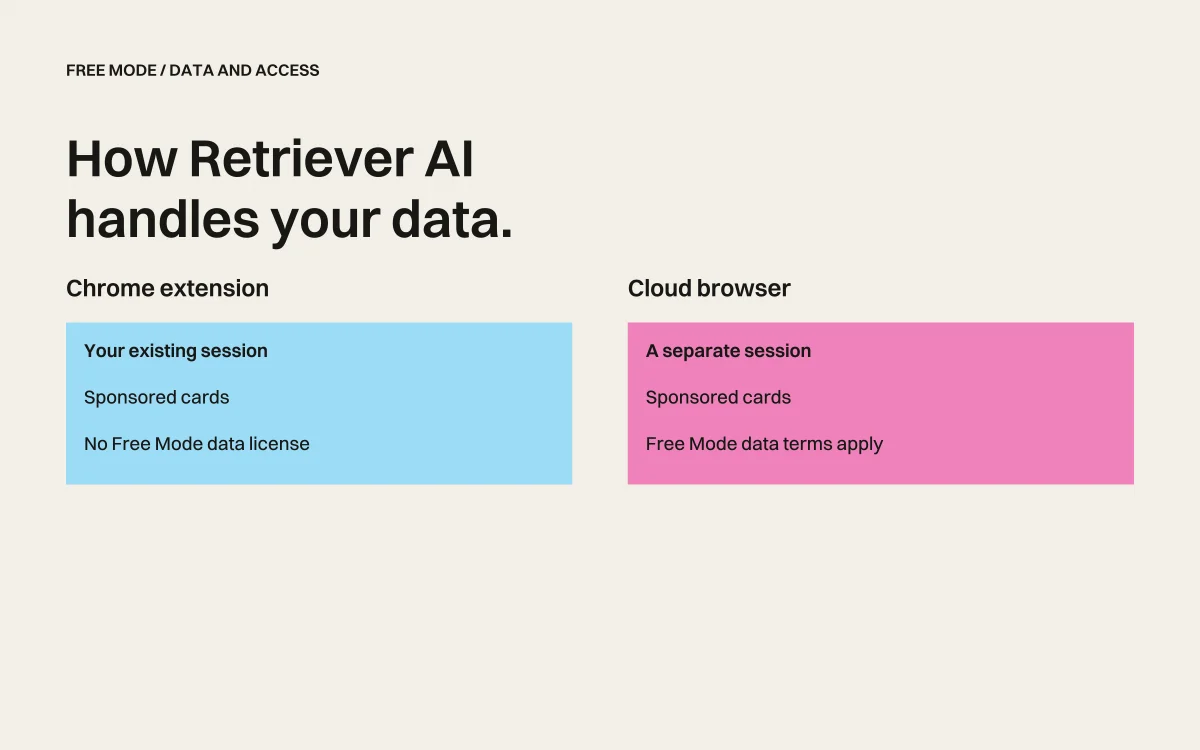
rtrvr Privacy & Security: How We Handle Your Data
Last updated: December 2025
We've seen questions in communities like Reddit asking: "Is rtrvr.ai safe? What data does it access? Can I trust it on my work device?"
These are exactly the right questions to ask. Any tool that interacts with your browser deserves scrutiny. This post is our commitment to transparency—we'll explain exactly what rtrvr.ai does, what data we access, when we transmit it, and why our architecture is fundamentally more secure than alternatives.
TL;DR:
- rtrvr.ai only activates when you explicitly trigger it
- We read page content (DOM) to understand and act on websites—we don't scrape your browser cache or steal credentials
- Your credentials never leave your browser—we don't ask for passwords or store login tokens
- We recommend using a dedicated Chrome profile for maximum isolation
- Our Chrome Extension architecture is inherently more secure than CDP-based alternatives
- We're bootstrapped, working toward SOC 2 compliance Q1 2026
What Data Does rtrvr.ai Access?
When You Trigger an Action
rtrvr.ai only activates when you explicitly prompt it—either through:
- Typing a command in the extension popup
- Sending a message via WhatsApp integration
- Making an API call
- Triggering via MCP from another application
When triggered, here's what happens:
-
DOM Reading: We read the current page's Document Object Model (DOM)—the structured HTML that makes up the webpage. This is how we understand what's on the page: buttons, forms, text, links, etc.
-
Smart DOM Tree Construction: We process the raw DOM into a "Smart DOM Tree"—a semantic, structured representation optimized for AI understanding. This strips out noise (scripts, tracking pixels, ads) and preserves meaningful content.
-
Backend Processing: The Smart DOM Tree is sent to our backend, where it's processed and sent to Google's Gemini for AI reasoning.
-
Action Execution: Based on Gemini's response, we execute actions in your browser (clicking, typing, navigating).
What We Sync to the Cloud
To enable features like workflow re-execution across platforms (Extension, Cloud, API), we sync certain artifacts with strict per-user permissioning:
- Task Artifacts: Step-by-step logs of completed workflows stored for re-execution purposes
- Tools: Custom tools you've created are synced so that your cloud agent can call them as your browser agent would
- Extracted Data: If you're extracting data to Google Sheets, that data lives in YOUR Google account—we do NOT store the underlying Sheets data in our cloud
We do NOT sync:
- Your browser cache
- Saved passwords
- Cookies or session tokens
- Browser history
- Data from pages you haven't explicitly asked us to process
- Shortcuts (these remain local)
Execution Log Retention
Your execution logs are automatically wiped after one week. We retain logs only long enough to support debugging, then permanently delete them. This minimizes data exposure and ensures we're not holding onto historical execution data indefinitely.
What We Never Access
Let's be explicit about what rtrvr.ai does not do:
❌ We don't scrape your browser cache — We only read active pages when triggered
❌ We don't access saved passwords — Your browser's password manager is completely separate from our extension
❌ We don't steal session cookies — We can't export your logged-in sessions
❌ We don't run in the background — The extension is dormant until you activate it
❌ We don't access other tabs — We only interact with tabs you explicitly direct us to
❌ We don't phone home with browsing history — We have no interest in where you browse
"It's Touching My Logged-In Accounts" — Understanding This Correctly
A common concern we see: "rtrvr.ai is pulling data from my logged-in accounts!"
Here's what's actually happening:
When you ask rtrvr.ai to "extract my LinkedIn connections" or "check my Amazon orders," you're explicitly asking us to interact with those pages. We're using YOUR existing session—the one you're already logged into—to perform the task you requested.
This is a feature, not a bug. It's actually more secure than the alternative.
The Alternative is Worse
Other automation tools require you to:
- Share your username and password with a third-party service
- Export cookies/tokens and upload them to cloud infrastructure
- Use proxy browsers that have access to all your credentials
With rtrvr.ai:
- Your credentials stay in YOUR browser
- We never see your passwords
- We never receive your session tokens
- The authentication happens locally, in the browser you control
Think of it like a friend using your computer. You're logged into Gmail. You ask your friend to check something in your inbox. They can see your emails while sitting at your computer—but they can't take your password home with them. That's how rtrvr.ai works.
Our Architecture: Why Chrome Extensions Are More Secure
The Problem with CDP (Chrome DevTools Protocol)
Most browser automation tools (Puppeteer, Playwright, Selenium, and services built on them) use CDP. Here's why that's concerning:
Security vulnerabilities:
- CDP opens a WebSocket connection exposing your entire browser session
- Malicious scripts can potentially exploit CDP endpoints
- Session tokens and credentials are exposed to the debugging interface
- It's designed for debugging, not production security
Detection and blocking:
- CDP adds detectable automation fingerprints
- Sites can identify and block CDP-controlled browsers
- Your "automation" looks nothing like real browsing
rtrvr.ai's Chrome Extension Approach
We use native Chrome Extension APIs instead of CDP. This provides:
Sandboxed Execution:
- Our content scripts run in isolated environments
- Page scripts cannot detect or interfere with our extension
- No WebSocket exposure to the network
Native Browser Integration:
- Extensions are first-class citizens in Chrome's security model
- Chrome enforces strict permissions and isolation
- No debugging backdoors
Zero Automation Fingerprint:
- No
navigator.webdriverflag - No detectable automation patterns
- Your browser looks 100% normal to websites
Session Persistence:
- Extensions survive page crashes
- No fragile WebSocket connections to maintain
- Works reliably across browser updates
Best Practices: Using rtrvr.ai Safely
Recommendation #1: Use a Dedicated Chrome Profile
This is our top recommendation for maximum security and peace of mind.
How to create a dedicated profile:
- Click your profile icon in Chrome (top right)
- Click "Add" to create a new profile
- Name it "rtrvr.ai Automation" or similar
- Install the rtrvr.ai extension in this profile only
Benefits:
- Complete isolation from your main browsing
- No saved passwords to accidentally interact with
- No logged-in sessions unless you explicitly log in
- Easy to delete/reset if you want a fresh start
- Eliminates any concerns about cross-contamination
This approach gives you the power of browser automation with the security of complete isolation.
Recommendation #2: Use Cloud Browsers for Sensitive Sites
For sites where you don't want ANY local browser interaction, use our Cloud Platform:
- Agents run on isolated cloud browser instances
- Your local browser is never involved
- Great for scraping public data at scale
Trade-off: Cloud browsers can't access authenticated sites (you're not logged in on our cloud instances). But for public data extraction, it's the most isolated option.
Recommendation #3: Review Permissions
Our Chrome Extension requests specific permissions. Here's what each does:
| Permission | Why We Need It |
|---|---|
activeTab | Read the current tab when you trigger an action |
scripting | Inject content scripts to interact with pages |
storage | Save your settings locally |
tabs | Navigate and manage tabs during multi-step workflows |
We request the minimum permissions needed for functionality. We don't ask for permissions we don't use.
Google Drive & Sheets: Minimal Permission Model
One of the most common concerns with automation tools is Google Drive access. Many tools request broad permissions that let them read your entire Drive. We don't.
We Use drive.file — The Most Limited Scope
rtrvr.ai uses Google's drive.file OAuth scope. This is the most limited Drive permission available:
What drive.file allows | What it does NOT allow |
|---|---|
| ✅ Create new Google Sheets | ❌ Access your existing Sheets |
| ✅ Access Sheets YOU explicitly open with rtrvr.ai | ❌ Browse or search your Drive |
| ✅ Write to Sheets rtrvr.ai created | ❌ Read documents you haven't shared |
| ✅ Access files you explicitly select via file picker | ❌ Access files in shared drives |
How This Works in Practice
Scenario 1: rtrvr.ai creates a new Sheet
- You ask: "Extract competitor pricing and save to a Sheet"
- rtrvr.ai creates a NEW Sheet in your Drive
- We can read/write to that Sheet because we created it
- We cannot see any other files in your Drive
Scenario 2: You want to use an existing Sheet
- You select the Sheet via Google's file picker
- By selecting it, YOU grant us access to that specific file
- We can read/write to that Sheet only
- We still cannot see any other files in your Drive
Scenario 3: You have sensitive company documents in Drive
- We literally cannot see them
- We cannot search for them
- We cannot access them even accidentally
- The
drive.filescope makes this technically impossible
Why This Matters
Many automation tools request drive or drive.readonly scopes, which grant access to your entire Google Drive. This includes:
- Company documents
- Personal files
- Shared team folders
- Everything
We deliberately chose the limited drive.file scope because:
- We don't need access to your existing files
- Minimal permissions = minimal risk
- You should be in control of what we can access
If an automation tool asks for full Drive access, ask why. For rtrvr.ai, we only need to create new Sheets or access ones you explicitly share—so that's all we ask for.
AI Model & Training Data Policy
No Training on Your Data
We want to be crystal clear about how your data is used with AI models:
Our Gemini contract explicitly forbids training on inference data. When your workflows are processed through Google's Gemini models, that data cannot be used to train or improve Google's models. This is a contractual guarantee.
rtrvr.ai does not perform any model training. We don't train models on your data, period. We use Gemini's inference APIs as a service—your workflows are processed and the results are returned, but no training occurs on either end.
This means:
- Your extracted data doesn't become part of any AI training dataset
- Your workflow patterns aren't used to improve models
- Your browsing behavior remains private
Cloud Platform Security
Data Encryption
- All data in transit uses TLS 1.3 encryption
- Data at rest in Firebase/GCS uses AES-256 encryption
- API keys are hashed, not stored in plaintext
Infrastructure
- Hosted on Google Cloud Platform (Cloud Run + Firebase)
- Automatic scaling with isolated container instances
- No shared state between user sessions
Access Control
- API keys are scoped to your account
- Each cloud browser instance is isolated
- No cross-user data access possible
Data Retention
- Task artifacts are retained until you delete them
- Execution logs are automatically wiped after one week
- You can delete your data at any time from the dashboard
- We don't sell or share your data with third parties
Compliance & Certifications Roadmap
Where we are today:
We're a bootstrapped two-person startup. We've prioritized building a product that works reliably over collecting certifications. That said, security is foundational to our architecture—not an afterthought.
What's coming:
- Q1 2026: Fundraising round closing
- Q2-Q3 2026: SOC 2 Type I certification process
- Q4 2026: SOC 2 Type II audit
- 2026: GDPR formal compliance documentation, potential ISO 27001
We're committed to meeting enterprise security standards as we grow. If you're evaluating rtrvr.ai for enterprise use and need specific compliance documentation, reach out to security@rtrvr.ai.
Comparison: rtrvr.ai vs. Alternatives
| Security Aspect | rtrvr.ai | CDP-Based Tools | Cloud Automation |
|---|---|---|---|
| Credential exposure | ❌ Never leaves browser | ⚠️ Exposed via WebSocket | ⚠️ Often requires upload |
| Detection risk | ✅ Undetectable | ❌ Easily detected | ⚠️ Varies |
| Session security | ✅ Sandboxed | ❌ Debug interface exposed | ✅ Isolated |
| Local data access | ✅ Only when triggered | ⚠️ Full browser access | ✅ None |
| Works on auth'd sites | ✅ Yes | ✅ Yes | ❌ Usually not |
| Training on your data | ❌ Contractually forbidden | ⚠️ Varies | ⚠️ Often unclear |
Frequently Asked Questions
Is rtrvr.ai safe to use on my work computer?
Short answer: Yes, especially if you use a dedicated Chrome profile.
Longer answer: rtrvr.ai only activates when you trigger it. We don't run background processes, scrape your browser, or access data you haven't explicitly asked us to process. Using a dedicated profile provides complete isolation from your work accounts.
Does rtrvr.ai store my passwords?
No. We never see, access, or store your passwords. We use YOUR browser's existing logged-in sessions—we can't export or transmit those credentials.
Can rtrvr.ai access my other tabs?
Only if you direct it to. If you say "go to LinkedIn and extract my connections," we'll navigate to LinkedIn. We don't scan your other open tabs or access anything you haven't explicitly requested.
Can rtrvr.ai access my Google Drive files?
Only files you explicitly share or files we create. We use Google's most limited drive.file scope. This means:
- We can create new Google Sheets
- We can access Sheets you explicitly select via file picker
- We CANNOT browse, search, or access any other files in your Drive
Your company documents, personal files, and other Drive content are completely inaccessible to us.
What happens to the data rtrvr.ai extracts?
Extracted data is either:
- Returned directly to you in the extension
- Written to a Google Sheet you specify (with your explicit permission)—and stays in YOUR Google account, not ours
- Task artifacts are stored temporarily in our cloud for workflow replay (if using cloud features)
You control where your data goes. We don't sell or share extracted data.
Is my data used to train AI models?
No. Our contract with Google explicitly forbids training on inference data, and rtrvr.ai does not perform any model training ourselves. Your data is used only to execute your requested tasks.
How long do you keep my execution logs?
One week. Execution logs are automatically wiped after 7 days. We retain them only long enough to support debugging and workflow replay.
Can my employer see what I'm doing with rtrvr.ai?
If your employer monitors your browser activity (via enterprise Chrome policies or network monitoring), they can see the same things they'd see with normal browsing. rtrvr.ai doesn't add additional visibility—but it also doesn't hide anything.
If you're concerned about employer monitoring, use rtrvr.ai on a personal device.
How do I delete my data?
You can delete:
- Local data: Uninstall the extension, or clear extension storage in Chrome settings
- Cloud data: Delete workflows and task artifacts from your dashboard at rtrvr.ai/cloud
- Full account deletion: Email support@rtrvr.ai
What if rtrvr.ai gets hacked?
Our security model is defense-in-depth:
- We don't store your credentials, so they can't be leaked
- API keys are hashed, not plaintext
- Cloud infrastructure uses GCP's security controls
- Each user's data is isolated
- Execution logs are wiped after one week, limiting exposure window
A breach would be serious, but the blast radius is limited because we don't hold sensitive credentials.
Our Commitment to Transparency
We wrote this post because trust is earned through transparency, not marketing claims.
What we promise:
- We'll always be clear about what data we access and why
- We'll notify users of any material changes to data handling
- We'll respond to security concerns and questions promptly
- We'll pursue formal certifications as we grow
What we ask:
- If you see behavior that concerns you, tell us (security@rtrvr.ai)
- If you find a security vulnerability, report it responsibly
- If you have specific compliance requirements, let us know
We're building rtrvr.ai to be the most reliable AND most trustworthy AI web agent. Security isn't a checkbox—it's foundational to everything we do.
Still Have Questions?
- Email: security@rtrvr.ai for security-specific questions
- Discord: Join our community for general discussion
- Support: support@rtrvr.ai for account and product questions
We read every message and respond to security concerns within 24 hours.
Summary
| Concern | Reality |
|---|---|
| "It's scraping my browser cache" | ❌ We only read active pages when triggered |
| "It's stealing my passwords" | ❌ We never access saved passwords |
| "It's using my logged-in accounts" | ✅ Yes, when YOU ask it to—that's the feature |
| "It's running in the background" | ❌ Only active when triggered |
| "It's sending data to third parties" | ❌ Only to Google Gemini for AI processing |
| "It can access all my Google Drive" | ❌ We use drive.file — only Sheets we create or you explicitly share |
| "My data trains AI models" | ❌ Contractually forbidden by our Gemini agreement |
| "It's not safe for work devices" | ✅ Safe, especially with dedicated profile |
Bottom line: rtrvr.ai is designed with security as a core principle. Our Chrome Extension architecture is fundamentally more secure than CDP-based alternatives. We recommend using a dedicated Chrome profile for maximum peace of mind, and we're committed to earning your trust through transparency and responsible data handling.
Ready to try rtrvr.ai with confidence?