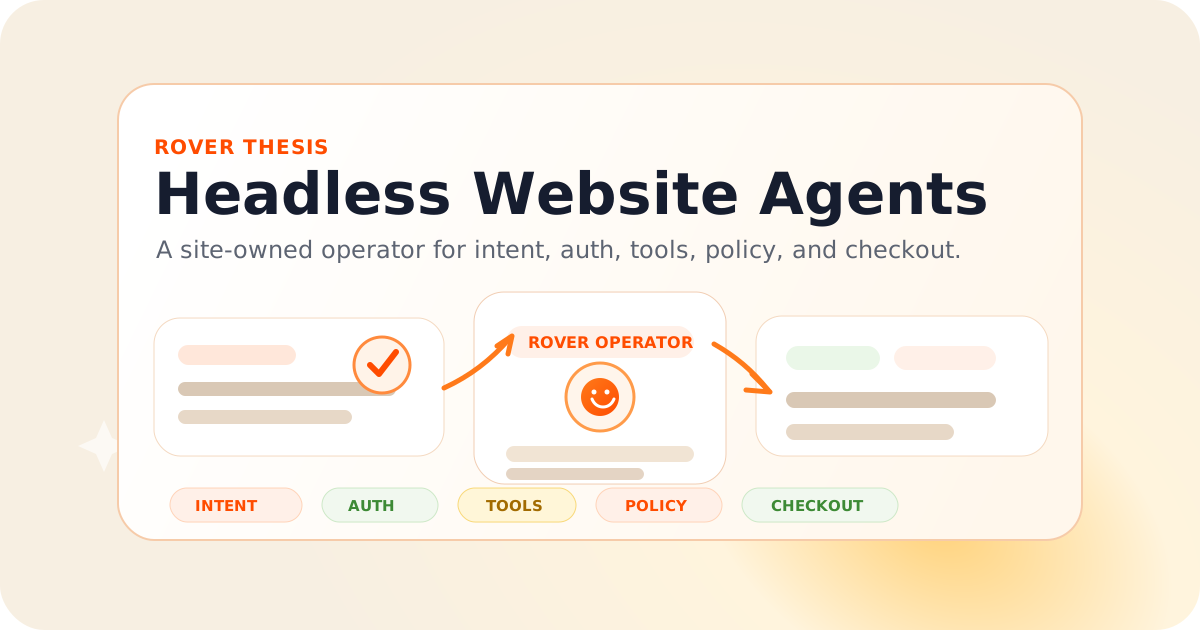
We started with the same wrong assumption as everyone else: the browser agent is the product.
Give the model a browser. Let it read the DOM. Let it click buttons, fill forms, recover from errors, and eventually use every website on earth.
That is true in the same sense that a human intern can use every website on earth.
It is a compatibility layer, not a protocol.
The serious version of the agentic web will not be millions of consumer-side agents cold-booting against every website, guessing the same signup, pricing, checkout, booking, support, upgrade, and cancellation flows again and again.
The serious version is simpler:
Every website ships a headless agent.
Not a chatbot. Not a help widget. Not a model pasted into the corner of the page.
A headless website agent is a site-owned operator that can accept intent from any surface - ChatGPT, Claude, Gemini, Slack, WhatsApp, an MCP client, a browser extension, or the website itself - and execute that intent through the site's trusted workflows.
The user's agent should not have to reverse-engineer your website.
Your website should have an agent that knows how your business works.
Browser agents are the new screen scrapers
The first wave of browser agents is impressive because the UI is universal.
If a model can see a page and click buttons, it can use software without an API. That is useful. It will remain useful for legacy sites, private back offices, and one-off automation.
But as a primary interface for the web, browser agents have the same problem as screen scraping:
- they rediscover structure on every run;
- they infer semantics from presentation;
- they break when the UI changes;
- they cannot know the site's real business rules;
- they have no privileged path to trusted APIs;
- they are indistinguishable from bad automation until proven otherwise;
- they are expensive because observation and action happen step by step.
A cold browser agent visiting a website is like a new employee walking into a store blindfolded and asking the shelves what the return policy is.
Sometimes it works.
It is not the architecture you would choose if both sides wanted the transaction to succeed.
Why sites do not just expose APIs
The obvious objection is: if agents need actions, just expose APIs.
But most websites cannot safely expose their internal action surface to the open web.
Raw APIs bypass the exact layers where businesses enforce policy:
- auth and account ownership;
- fraud checks and bot controls;
- pricing and entitlement rules;
- inventory and availability;
- compliance workflows;
- approval gates;
- payment confirmation;
- support escalation;
- rate limits and abuse controls.
The UI is not just presentation. For many businesses, the UI is the consent, fraud, and policy surface.
That is why "just publish an OpenAPI spec" is not enough.
An endpoint like POST /checkout_sessions is not the workflow. The workflow is:
- identify the user;
- decide whether the user is allowed to buy;
- select the right SKU, plan, region, currency, tax treatment, coupon, and contract path;
- collect confirmation;
- create the payment session;
- provision the account;
- notify the right team;
- persist the audit trail;
- handle retries and disputes.
A browser agent sees a button.
A raw API sees an endpoint.
The missing layer is the business operator that understands the workflow.
The missing primitive: intent handoff
The primitive we want is not "click this selector."
It is:
The user intends to do X on this website. Here is the user context, constraints, and proof of authorization. What is the safe next step?
That is an intent handoff.
For example, an external AI shopping agent should not have to inspect pricing cards, guess which checkout button maps to the annual team plan, and hope it lands in the right Stripe session.
It should be able to ask the site-side agent:
POST /.well-known/rover/intent
Content-Type: application/json

{
  "intent": "purchase_plan",
  "constraints": {
    "plan": "team",
    "billing": "annual",
    "seats": 12,
    "currency": "USD"
  },
  "actor": {
    "kind": "user_agent",
    "client": "chatgpt",
    "userConfirmed": true
  },
  "session": {
    "returnUrl": "https://chat.openai.com/...",
    "oauthSubject": "user_123"
  }
}
And the website should respond with something structured:
{
  "status": "needs_auth",
  "authUrl": "https://example.com/oauth/authorize?...",
  "next": {
    "type": "continue_intent",
    "intentId": "int_01JZ..."
  },
  "capabilities": [
    "account.sign_in",
    "billing.create_checkout_session",
    "checkout.confirm_purchase"
  ]
}
Or, if the user is already authenticated:
{
  "status": "ready_for_confirmation",
  "summary": {
    "plan": "Team",
    "seats": 12,
    "billing": "annual",
    "totalDueToday": "$2,400.00"
  },
  "confirmationRequired": true,
  "confirmUrl": "https://example.com/checkout/confirm?intent=int_01JZ..."
}
The user still approves.
The website still owns the checkout.
The agent stops guessing.
A headless website agent is not an API wrapper
The easiest way to misunderstand this is to think the site-side agent is just a nicer API gateway.
It is not.
A headless website agent has five jobs.
1. Maintain a semantic map of the site
The agent needs to know what exists:
- public pages;
- docs;
- pricing;
- products;
- plans;
- account flows;
- support policies;
- forms;
- checkout paths;
- escalation paths;
- internal actions that are safe to expose through policy.
Some of that can be crawled. Some comes from code. Some comes from private docs. Some comes from the founder typing, "Never offer custom pricing unless the lead has more than 100 employees."
This is a knowledge base problem, not a prompt problem.
2. Expose capabilities, not endpoints
Agents should not get raw internal APIs.
They should get capabilities:
export default defineRover({
  instructions: {
    voice: "technical, direct, no hype",
    never: [
      "promise SOC2 compliance before legal approval",
      "quote enterprise pricing without routing to sales",
      "create paid subscriptions without explicit user confirmation"
    ]
  },

  knowledgeBases: [
    rover.crawl("https://example.com/docs", { refresh: "daily" }),
    rover.upload("pricing-policy.pdf"),
    rover.sync("notion://sales-playbook")
  ],

  tools: {
    "crm.upsertLead": rover.api({
      method: "POST",
      url: "https://internal.example.com/leads",
      scopes: ["lead:write"],
      approval: "never"
    }),

    "slack.notifySales": rover.slack({
      channel: "#sales-live",
      approval: "never"
    }),

    "billing.createCheckoutSession": rover.api({
      method: "POST",
      url: "https://internal.example.com/billing/checkout",
      scopes: ["checkout:create"],
      approval: "user_confirmed"
    })
  },

  workflows: {
    "enterprise_pricing": {
      trigger: "visitor asks about enterprise pricing, security, procurement, or annual contracts",
      steps: [
        "qualify lead from conversation and account context",
        "answer from pricing and security knowledge bases",
        "if lead intent is high, call crm.upsertLead and slack.notifySales"
      ]
    },

    "buy_team_plan": {
      trigger: "user wants to buy or upgrade to Team",
      steps: [
        "verify auth",
        "summarize plan and price",
        "require explicit confirmation",
        "call billing.createCheckoutSession"
      ]
    }
  }
});
The agent is not deciding whether it is allowed to call billing.createCheckoutSession because it feels confident.
The site owner decides that in the workspace.
The agent gets a capability graph with scopes, policies, schemas, and approval gates.
3. Broker auth instead of stealing cookies
Auth is where most agent demos quietly cheat.
They either run in the user's browser and inherit a live session, or they run remotely and need some reconstructed credential story: cookies, headers, OAuth tokens, password vaults, or a logged-in remote browser.
A headless website agent should make auth explicit.
If the user is on the website, Rover can use the live session and the site's own UI.
If the user is in ChatGPT, Slack, WhatsApp, or another AI client, Rover should start an OAuth-style flow, bind the user to the site account, and return a continuation token for the intent.
The external agent does not need the password.
The site-side agent does not need to leak raw cookies.
The business gets an auditable chain:
user_agent -> intent -> auth binding -> policy check -> confirmation -> action -> receiptMCP authorization is moving in this direction too: HTTP-based MCP servers are specified as protected resources with OAuth-style authorization. That is good plumbing. But auth plumbing is not the product workflow.
The website still needs an operator above it.
4. Decide when to use APIs and when to use the page
The awkward truth: not every site has clean APIs for every important action.
Sometimes the trusted path is an internal API.
Sometimes it is a third-party checkout.
Sometimes it is a CRM.
Sometimes it is the live page, because the UI is the only place the business rules actually converge.
A headless website agent should be able to use all of them:
async function handleBuyIntent(ctx: RoverIntentContext) {
  const account = await ctx.auth.requireAccount();

  const quote = await ctx.tools.call("billing.previewQuote", {
    accountId: account.id,
    plan: ctx.intent.constraints.plan,
    seats: ctx.intent.constraints.seats,
    billing: ctx.intent.constraints.billing
  });

  await ctx.user.confirm({
    title: "Confirm purchase",
    body: quote.humanSummary,
    amount: quote.totalDueToday
  });

  return ctx.tools.call("billing.createCheckoutSession", {
    accountId: account.id,
    quoteId: quote.id,
    returnUrl: ctx.session.returnUrl
  });
}
And if the only reliable path is the website UI:
async function handleLegacyBooking(ctx: RoverIntentContext) {
  const page = await ctx.browser.open("/demo");

  await page.fill("email", ctx.user.email);
  await page.select("team_size", ctx.intent.constraints.teamSize);
  await page.click("Book demo");

  return page.extract({
    schema: {
      confirmationTime: "string",
      confirmationId: "string"
    }
  });
}
This is the core difference from a pure external browser agent.
The website-side agent can use trusted APIs when they exist, the UI when it must, and policy everywhere.
5. Keep the audit log
When an agent takes an action, the question is not only "did it work?"
The questions are:
- Who asked for this?
- Which agent represented the user?
- Which site policy allowed it?
- Which tools were called?
- What did the user confirm?
- What did we send to Slack, CRM, billing, or support?
- What can be replayed, reversed, or disputed?
A chatbot transcript is not enough.
A headless website agent needs an action ledger.
Agentic checkout is the forcing function
Content Q&A can tolerate fuzziness.
Checkout cannot.
The moment an AI agent buys something on behalf of a user, the site needs deterministic answers to boring questions:
- Is the user signed in?
- Is this user allowed to buy for this account?
- Which legal entity is the merchant of record?
- Which price is valid right now?
- Did the user explicitly confirm the amount?
- Which payment instrument is authorized?
- What is the receipt?
- What happens if the agent or user disputes the transaction?
This is why agentic commerce is producing protocols instead of just more browser automation.
OpenAI and Stripe's Agentic Commerce Protocol gives merchants a structured way to connect commerce flows to ChatGPT, starting with product data and purchase sessions.
Google's Agent Payments Protocol focuses on the authorization and payment side of agent transactions, with mandates and receipts for accountability, and its overview explicitly places AP2 around emerging A2A, MCP, and UCP-style commerce infrastructure.
Those protocols matter.
But they do not eliminate the need for the site-side operator.
They make it more obvious.
A store still needs to map its real products, auth, checkout, subscriptions, returns, support, and account state into whatever agent-commerce protocol wins distribution.
That mapping layer should be owned by the site.
Why not just MCP?
MCP is the right direction for connecting agents to tools and data.
But "my website has an MCP server" is not the same as "my website is agent-ready."
A public MCP server can expose tools like:
{
  "name": "create_checkout_session",
  "inputSchema": {
    "type": "object",
    "properties": {
      "planId": { "type": "string" },
      "seats": { "type": "number" }
    }
  }
}
That still leaves the hard problems:
- Which plan should the user choose?
- Which products are allowed in this geography?
- Is there a contract path?
- Should this action require human approval?
- Is the caller a trusted agent or a scraper?
- How is the user authenticated?
- What happens when the checkout flow changes?
- What should be answered from docs versus escalated to sales?
MCP gives an agent a socket.
A headless website agent gives the website a brainstem.
In practice, Rover can expose an MCP surface. But MCP should be one interface to the site-side agent, not the entire implementation.
Why not just ship better HTML?
Semantic HTML helps. Structured data helps. Product feeds help. robots.txt, sitemap.xml, and schema.org help.
But agents need more than read access.
They need to act.
The old crawler contract was:
Here are my pages. Please index them.The agentic-web contract is:
Here are the things users can safely do here, the policies for doing them, and the protocol for handing off intent.That is a different abstraction.
A product page can say the price is $99.
A headless agent can say:
- this account is eligible for the annual discount;
- this buyer needs procurement approval;
- this coupon is expired;
- this user can upgrade but not cancel;
- this purchase requires a user confirmation step;
- this question should route to sales now.
HTML cannot express that by itself.
Warm workflows beat cold DOM
The cost difference is architectural.
A cold browser agent needs to repeatedly observe, infer, act, and recover:
cold_agent_cost = sum(page_observation + model_reasoning + action + new_observation) for each stepA site-side agent starts warm:
site_agent_cost = intent_classification + policy_check + workflow_execution + occasional_model_judgmentThe site-side agent already knows the workflow graph.
It already has the docs indexed.
It already knows which APIs are safe.
It already knows which page flows are canonical.
It already knows when to escalate.
That is why this will be faster than a generic agent visiting your site from zero.
Not 10 percent faster.
A different class of faster.
The architecture we are building with Rover
Rover started as a one-script-tag agent for websites.
You install it. Visitors can ask it to navigate, explain, and act on the page.
That was the first step.
The next step is making Rover the headless operator for the website.
In the workspace, the site owner configures:
- instructions: voice, policies, disallowed behavior;
- knowledge bases: crawled docs, uploaded files, private sales/support docs, scheduled refreshes;
- tools: Slack, CRM, booking links, internal APIs, MCP servers, OpenAPI endpoints;
- workflows: buy, book, upgrade, cancel, configure, compare, contact sales, open ticket;
- auth: sign-in, OAuth, account binding, session refresh;
- approvals: when the user, team, or admin must confirm;
- audit: what happened, why, and through which capability.
Then Rover can serve multiple surfaces:
website visitor -> Rover widget -> live page + tools
ChatGPT user -> Rover headless endpoint -> auth + checkout
Slack message -> Rover workflow -> CRM + sales notification
WhatsApp chat -> Rover workflow -> booking + support ticket
MCP client -> Rover MCP adapter -> scoped capabilities
browser agent -> Rover instructions -> safe intent handoff
The same operator handles all of them.
The website stays the system of record.
Example: enterprise pricing
A visitor asks:
Do you have enterprise pricing for 2,000 seats with SSO and data retention controls?
A chatbot answers from a FAQ and asks them to fill out a form.
A generic browser agent can maybe find the pricing page and click "Contact sales."
A headless website agent does the useful thing:
async function enterprisePricing(ctx: RoverIntentContext) {
  const answer = await ctx.kb.answer({
    question: ctx.message.text,
    sources: ["pricing", "security", "sales_playbook"]
  });

  const lead = await ctx.extract({
    text: ctx.conversation.transcript,
    schema: {
      company: "string | null",
      seats: "number | null",
      securityNeeds: "string[]",
      urgency: "low | medium | high"
    }
  });

  if (lead.seats && lead.seats > 100) {
    await ctx.tools.call("crm.upsertLead", lead);
    await ctx.tools.call("slack.notifySales", {
      channel: "#sales-live",
      text: "High-intent enterprise lead",
      context: {
        lead,
        transcript: ctx.conversation.url,
        suggestedReply: answer.text
      }
    });
  }

  return answer;
}
No form.
No wait.
No "I can help answer general questions."
The site acted because the site owner wired the agent into the business.
Example: AI agent buys from your site
A user asks an AI assistant:
Find a customer-support tool for a 20-person startup and sign me up for the best annual plan under $2,000.
The assistant narrows the options and selects your product.
Without a site-side agent, the assistant now has to drive your website like a human:
- open pricing;
- infer the best plan;
- click checkout;
- handle sign-in;
- fill forms;
- route payment;
- confirm terms;
- capture receipt.
With Rover, the assistant can hand off intent:
{
  "intent": "buy_subscription",
  "constraints": {
    "teamSize": 20,
    "budgetAnnualUsd": 2000,
    "mustHave": ["shared inbox", "Slack alerts", "SSO optional"]
  }
}
Rover maps that to your actual plans, asks for confirmation, creates the checkout session through your own rails, and returns the receipt.
Your rails.
Your money.
Your policies.
Rover Scout: compile the website into an agent surface
Most businesses will not hand-write all of this.
They should not have to.
Rover Scout is the compiler pass.
Point Rover Scout at a URL, or scan your codebase with the CLI, and it produces a draft agent surface:
rover scout https://example.com

found:
  public pages: 184
  docs pages: 62
  pricing pages: 3
  forms: 7
  checkout flows: 2
  auth flows: 3
  support workflows: 5
  candidate APIs: 18
  structured products: 42

generated:
  knowledge_base.rover.json
  workflows.rover.json
  tools.rover.ts
  auth.rover.ts
  commerce.acp.json
  commerce.ap2.json
  evals/*.yaml
The important word is draft.
Rover should not silently invent a checkout layer for your business.
It should find the real flows, generate the candidate capabilities, and ask the owner to approve them.
For a simple site, this may mean a knowledge base plus a Slack escalation tool.
For a SaaS product, it may mean plan selection, auth, account upgrade, billing, and support.
For commerce, it may mean catalog, checkout, returns, and agent-payment adapters.
The output is not a chatbot script.
It is a capability map.
The security model
A headless website agent is powerful. That means it should be boringly constrained.
The policy surface should be explicit:
policy("billing.createCheckoutSession", {
  requires: ["authenticated_user", "explicit_confirmation"],
  maxAmountWithoutHumanReview: 5000,
  idempotency: "required",
  log: "full",
  rateLimit: "5/user/hour"
});

policy("slack.notifySales", {
  requires: ["lead_intent"],
  log: "metadata_only",
  rateLimit: "20/site/hour"
});

policy("crm.upsertLead", {
  requires: ["business_contact_detected"],
  pii: "allowed",
  log: "redacted",
  rateLimit: "100/site/day"
});
The generated agent should not be trusted because it is smart.
It should be trusted because the actions are scoped.
A useful default posture:
- read-only until tools are explicitly connected;
- no destructive actions without approval;
- no payment without explicit confirmation;
- no raw secret access in prompts;
- no unbounded tool calls;
- idempotency keys on side effects;
- audit logs for every external call;
- dry-run mode for new workflows;
- human escalation for ambiguous cases.
This is also why the website needs to own the agent.
A random external browser agent cannot know your internal approval policy.
Rover can.
The bot problem becomes a protocol problem
Site owners are right to fear agents.
A web full of autonomous clients can easily become a web full of spam, scraping, fake leads, credential stuffing, and checkout abuse.
But blocking all agents is not a strategy either.
The useful distinction is not "human versus bot."
The useful distinction is:
unauthorized automation vs authorized intentA website-side agent gives the business a place to enforce that distinction.
It can require auth for account actions, signed requests for external agent clients, proof of user confirmation for purchases, rate limits for anonymous traffic, and escalation for suspicious behavior.
The alternative is letting every external agent pretend to be a browser tab.
That is worse for everyone.
The website becomes an operator
The web has gone through this shape before.
Content became headless CMS.
Commerce became headless commerce.
Now websites need a headless operational layer.
The page is still important. Humans will keep using websites. Brand, trust, layout, and direct manipulation are not going away.
But the website also needs to be callable.
Not just readable.
Callable.
A headless website agent is the callable layer:
read: pages, docs, products, policies
reason: intent, eligibility, constraints, next step
act: APIs, UI flows, CRM, Slack, checkout, support
remember: account state, history, audit, approvals
expose: widget, MCP, AI chat, Slack, WhatsApp, browser agents
That is the website as an operator.
What this changes for site owners
If you run a website, the question is no longer:
How do I make my site rank in Google?
It is also:
How do I make my site executable by AI?
The answer is not "install a chatbot."
The answer is:
- index the knowledge the agent is allowed to use;
- define the workflows users actually want;
- connect the tools that make those workflows real;
- expose capabilities with auth, policy, and audit;
- let external agents hand off intent instead of scraping your UI.
This is the layer Rover is becoming.
A site-side agent that can be embedded in the page, called headlessly from AI surfaces, and wired into the business stack.
What this changes for agent builders
If you are building a consumer agent, this is not competition.
It is relief.
The best consumer agent should not want to click through every website from scratch.
It should prefer a trusted site operator when one exists, and fall back to the browser when it does not.
That gives us the hierarchy the web is missing:
1. call the site's headless agent if available;
2. use a documented protocol or MCP surface if exposed;
3. use structured data and product feeds if sufficient;
4. fall back to browser control for legacy flows.
Browser agents are the compatibility mode.
Website agents are the native interface.
The future is agent-to-website, not agent-to-DOM
The DOM was designed for human interaction.
It can be used by agents because the web is wonderfully hackable.
But the DOM should not be the primary business protocol for AI.
The primary protocol should be between agents:
- the user's agent represents the user's intent;
- the website's agent represents the site's capabilities and policies;
- auth binds the user to the account;
- payment protocols handle confirmation and accountability;
- the website remains the system of record.
That is how the web becomes agentic without becoming unusable.
Not by letting every AI click every button.
By giving every website an operator.
TL;DR:
Browser agents are a bridge. Headless website agents are the destination.